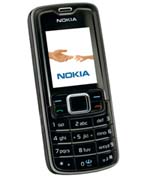
 I have a nokia phone, its model is 3110 classic and i use it as a modem to connect with internet. So i don’t use this phone as any call purpose, only internet.
But most problem with this handset is the restarting problem. It doesn’t get restarted if you don’t use any memory card. But if you use any, in my case i can’t turn on my phone most of the time while the memory card remains inserted. It turns on and becomes switched off in a looping process.
I was so mad with this because i can’t use any memory card and can’t listen to any songs and also can’t take any photo while visiting some place. Once i thought to take the phone to the customer care center, but it takes too much time in the nokia care at Rajshahi (a division of Bangladesh). A simple problem took 16 days to solve that i saw to happen to some of my friends. So it was a great problem for me because i use the set as a modem.
Now come to the point. To solve the problem you need to update your phone firmware and i was not sure that i can update it with my usb data cable.
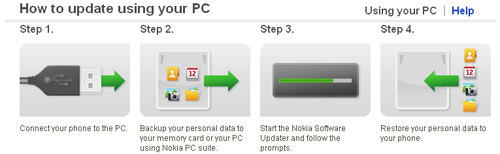
My phone’s firmware version was 6.01 or something but it was 6 LOL. After updating the firmware the version becomes 7.21 To download the updater software visit the nokia web site.
Its size is around 23 MB, so download it. You can also check is there any update for your phone or not? Follow the link here.
Now install the updater and follow the instructions. It’s simple. In my case, after installing the updater software again it downloaded a package of about 22 MB.
I am not sure that it was downloaded only in my case. So what, follow the process. It’s really simple. After installing the updates my mobile is running without any problem.
Happy mobiling :P