I use Siemens CX70 mobile phone since 2005 and still I’m using it and it’s my only phone. Anyway, it’s not funny :P 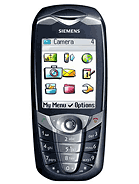
My phone’s display is going to die soon, the process already started :cry:. I love this phone for its customisable features. If somehow it dies or it’s stolen then I’m so dead. My 5/6 years all contact will be gone. So the best process is to sync it somewhere, so all the contacts remain and I can use those contacts to other phone. I started to dig today about this issue.
My OS is ubuntu and I was not able to pull those contacts from mobile to my laptop. I can’t send the contacts via bluetooth, because it has only infra-red. So I was looking for some sync service and I found one. After 1 hour of effort I was able to sync my contacts with the memotoo. But after syncing my contacts it says I reached the limit and I need an account upgrade :mad:

May be there are some other cool services to sync free and I don’t know about them. If you know some, please let me know. But I decided to setup a service on my server only for me :D and I found mooha. After looking into it, I found very easy to set it up.
The process is very easy, download the script from google code. There is sql file for database table creation. Create a database on your server and import the sql file. Now give the database credentials on the config.php file and you are done :D
The default username and password is mooha. You can change it and/or add as many users as you want.
It’s time to setup my phone’s remote synchronisation tool. I gave my mooha server address like http://example.com/mooha/index.php and my username/password and contact path it synced successfully :cool:
12 thoughts on “Create your own phone synchronisation server”
Great stuff very helpful :)
Let's make some business out of this app. :D
Don't forget my percentage :P
I miss Ubuntu one a lot. :( It was a great service. Thank you for the soft. Lets try it. :)
having trouble installing it. Uploded that archive, extracted, renamed it to mob. Then created and imported the database, modified the config.php. But cannot access it. Is still says File not found :(
Oh man!! Why it isn's working for me! I uploaded all the files and folders in folder "m". But it shows a blank page! url: http://kabbo.tk/m. What to do? Please help!!!!!!
It will not show you any info. You will see the page always blank. Access that page with your mobile phones synchronisation feature. If it's successful or have any errors, you will find everything in the log file.
OK, let me try :)
No, didn't work. I changed both username and pass to just m. Should I specify username in contacts setting or just in server settings?
Could you tell us, how you added another user?
I could not create a password that worked, used md5 for encoding, but authentication never worked... :(
I tried it on my Siemens CX70 and that worked. One of my friend tried on Nokia, but with no luck. I don't know if it only works on Siemens or not :P
Hey i have some problems with syncing a nokia 3720 -> "Data transfer not possible" -> any idea?