In a situation like where you are using nginx and you have to redirect abc.example.com, or random.example.com to example.com/user/subdomain, here is the snippet that will do the job.
Let’s say your nginx server block looks like this:
server {
    listen 80;

    server_name example.com  www.example.com;

    root /var/www/example.com/htdocs;

    index index.php index.html index.htm;

    [...]
}
Now add this new server block before your existing server block:
server {
    listen 80;

    server_name ~^(?<sub>[a-zA-Z0-9-]+)\.example\.com$; #capture subdomain into sub
    return 301 $scheme://example.com/user/${sub};
}
Here the first server block is a fixed one, so when you are directly visiting example.com, the first snippet will handle the job. But now as we provided a server block with wildcard matching, any sub-domain requests will be handled by the new server block.
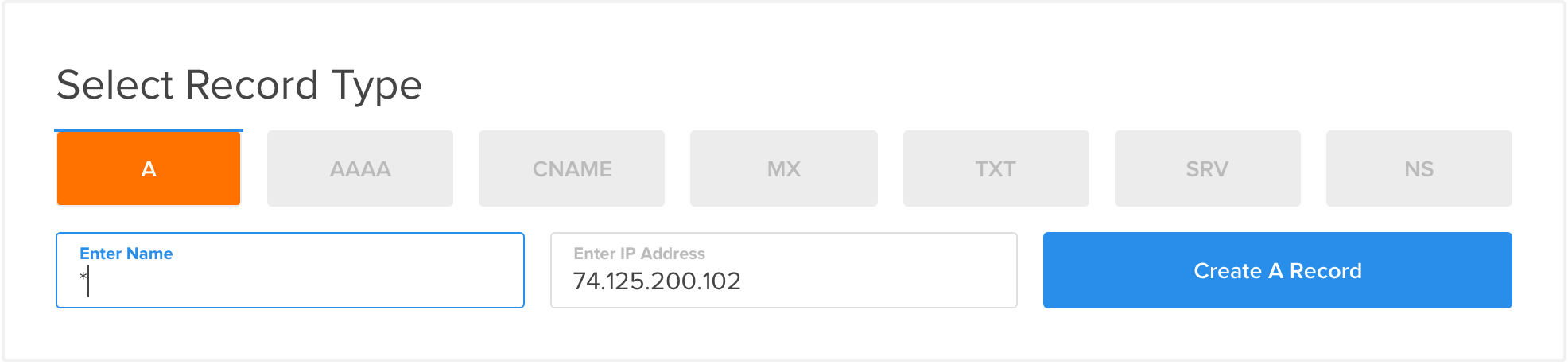
But before everything, you need to create an A record on your DNS server/manager to capture all the wildcard requests and direct them to your main server IP address.
So here is the full snippet if you are wondering which one is going after what.
server {
    listen 80;

    server_name ~^(?<sub>[a-zA-Z0-9-]+)\.example\.com$; #capture subdomain into sub
    return 301 $scheme://example.com/user/${sub};
}

server {
    listen 80;

    server_name example.com  www.example.com;

    root /var/www/example.com/htdocs;

    index index.php index.html index.htm;

    [...]
}